Project Management

By
Sammy Jones
7 Best Interior Design Project Management Software in 2026
A complete guide for interior designers, boutique studios, and growing firms
Running an interior design project sounds glamorous, until you're chasing a vendor on three different email threads, your client is asking about the sofa delivery for the fourth time this week, and your mood board files are scattered across a desktop folder called 'FINAL_v3_REAL.'
Sound familiar?
The right project management software doesn't just keep things tidy. It becomes the operational backbone of your studio, the place where concepts become purchase orders, where client approvals don't require a phone call, and where a delayed shipment shows up as a flag on your dashboard rather than a surprise on delivery day.
This guide covers the 7 best interior design project management software platforms for 2026, from purpose-built tools that handle FF&E specs and procurement, to flexible platforms with AI automation that grow with your firm. We break down who each one is really for, what it does well, where it falls short, and what it costs.
Book a Demo & See It in Action
What is Interior Design Project Management Software?
Interior design project management software is a category of tools built specifically, or adapted to handle the layered, visual, and client-intensive workflows that define a design practice.
Unlike generic tools like Asana or Basecamp, the best platforms in this space connect your creative process to your business operations: product sourcing, FF&E specification management, vendor coordination, client approvals, invoicing, and procurement, all in one place.
The core problem these tools solve: most 2–10 person design studios waste 12–15 hours per week on administrative tasks that well-configured software could handle automatically. That's time that could go toward designing spaces clients will love.
Key capabilities to look for include:
FF&E (Furniture, Fixtures & Equipment) specification tracking
Client portals for approvals, mood board sharing, and communication
Procurement and vendor order management
Invoicing, payment processing, and financial reporting
Visual design phases mapped to project timelines
Team task management with dependencies and deadlines
Start a Free Trial and See It in Action
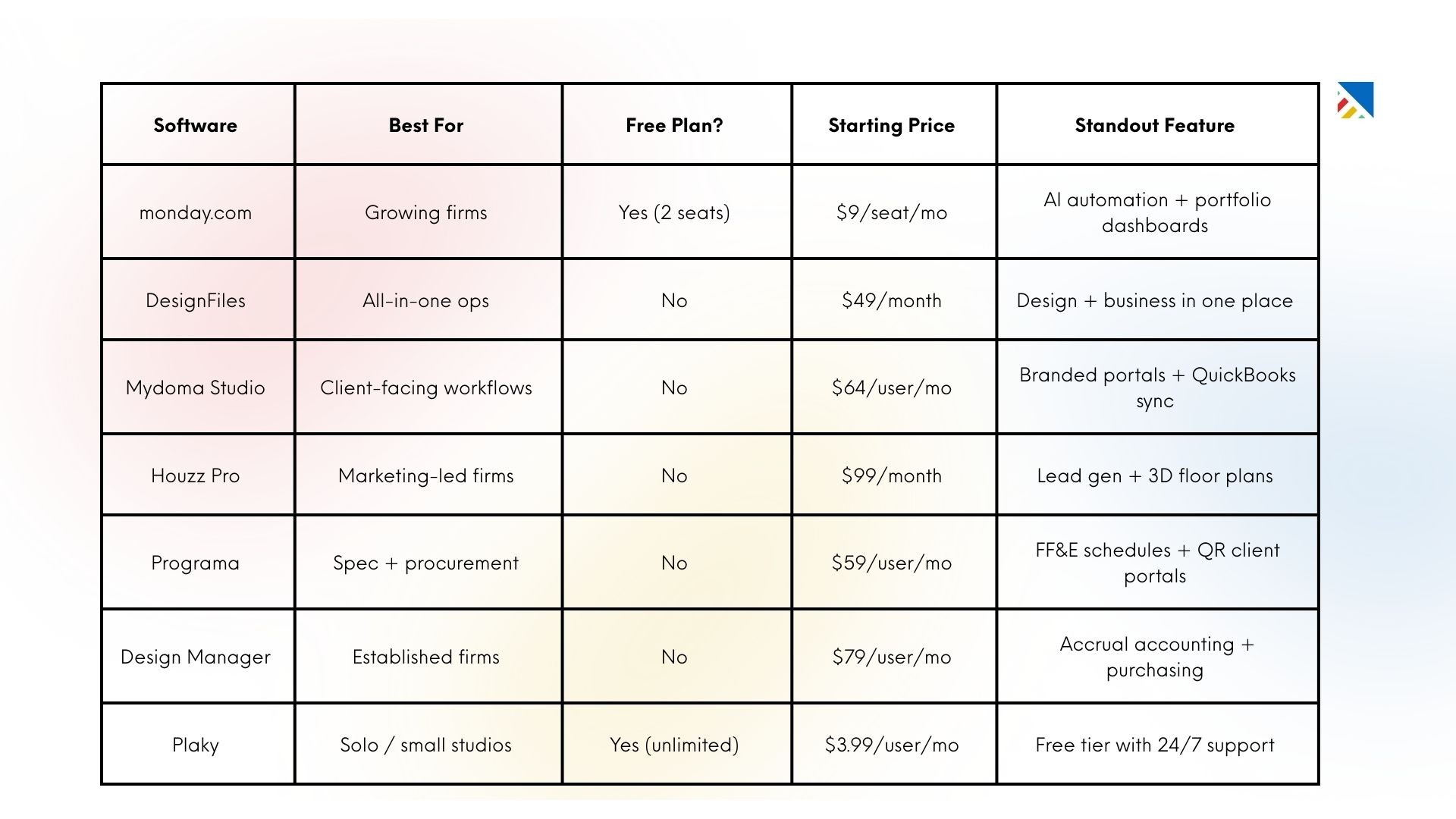
Quick Comparison: 7 Best Interior Design Project Management Software (2026)
Here's a snapshot before we go deeper on each platform:
1. DesignFiles: Best All-in-One for Solo Designers & Small Firms
Best for: Independent interior designers and small firms who want one platform covering design, project management, client portals, and financials. without juggling multiple subscriptions.
DesignFiles has quietly become the top-rated interior design platform on Capterra, sitting at 4.6 stars from over 535 reviews. It earns that reputation by doing something most platforms struggle with: making the visual, client-facing side of design work feel seamless while also handling the operational back end.
You can drag-and-drop mood boards, send branded proposals, track purchase orders, and collect client payments, all from the same workspace. There's no need to maintain a separate tool for presentations and another for invoicing.
Key Features
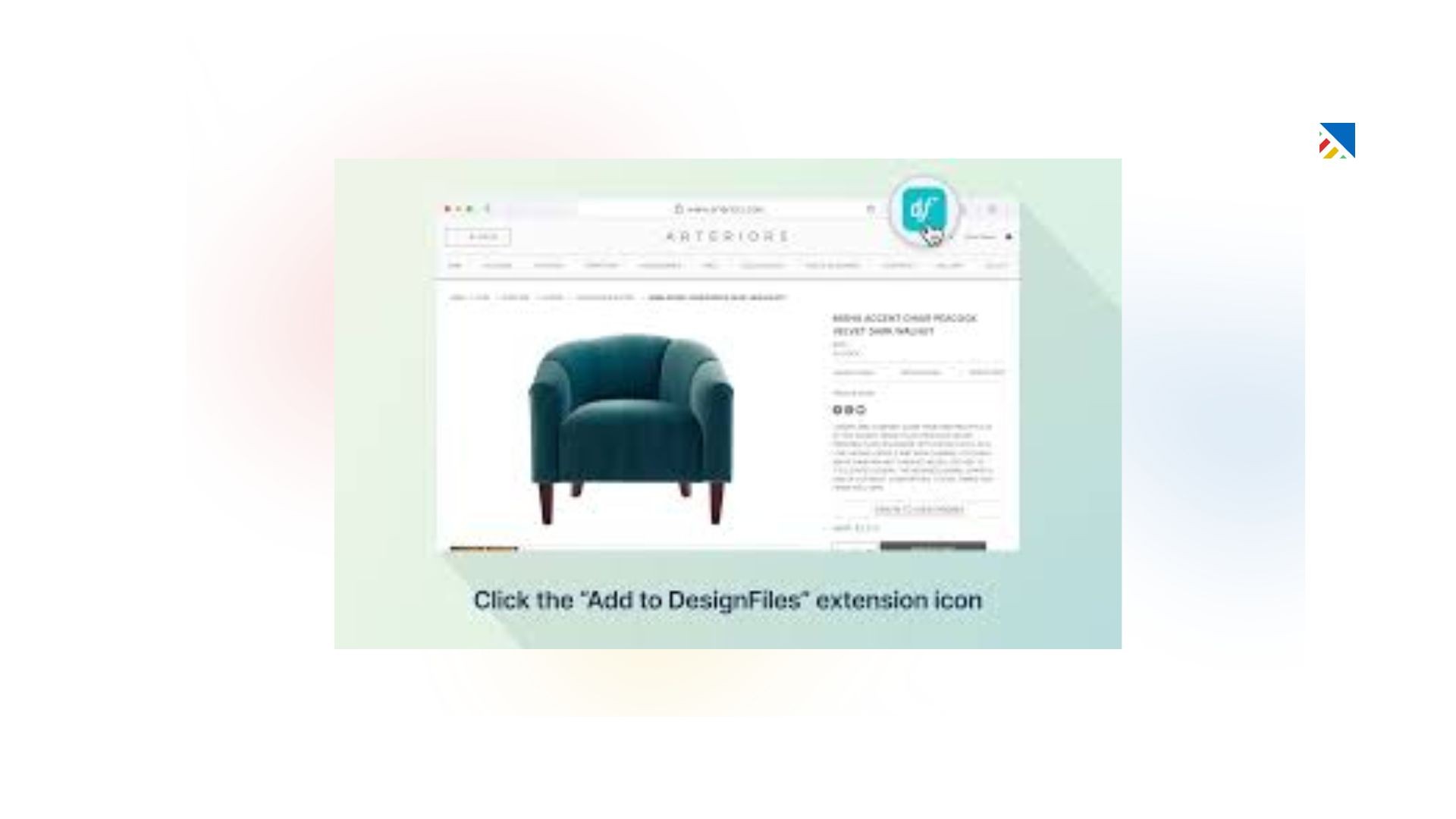
Drag-and-drop mood boards and design boards with product library integration
Branded client portal for sharing proposals, feedback, and invoices
Purchase order management and shipment tracking
Automated proposals and invoices with the lowest payment processing fees in the interior design industry for ACH transfers
AI-enhanced 3D visuals for photo-realistic renderings
Time tracking, project phases, and Kanban-style task views
Pricing: Starts at $49/month
Where It Stands Out: DesignFiles is the rare platform where the client experience is genuinely impressive, not just functional. Clients get a polished, branded portal that centralizes everything from concept boards to final payment. For designers who win business based on how they present themselves, that matters.
Limitations: For firms managing complex procurement workflows across dozens of vendors, or those needing deep accounting functionality, DesignFiles may feel light. Studios with multiple designers and granular permission requirements may outgrow it.
Start Your Free Trial and Simplify Your Workflow
2. monday.com: Best for Growing Firms Needing Flexible, AI-Powered Workflows
Best for: Design firms managing multiple concurrent projects who need flexible workflows, portfolio-level visibility, and AI-powered automation, without being locked into an interior-design-only tool.
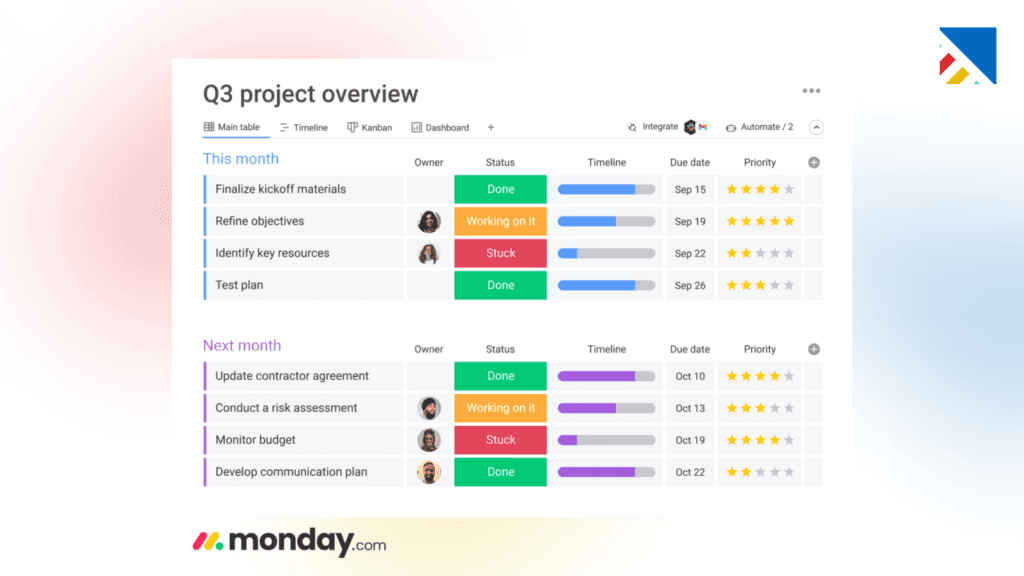
Monday.com isn't built exclusively for interior design, but that's actually part of its value. It's a genuinely powerful work management platform that's flexible enough to model the way your studio actually runs, whether that means Gantt charts for project dependencies, Kanban boards for design phases, or calendar views for client meetings and delivery windows.
For growing firms that need to manage 10, 20, or 30 active projects simultaneously, monday.com's portfolio dashboards offer a kind of real-time oversight that purpose-built design tools rarely provide. You can see across every project at once — which ones are on track, which have budget flags, and where your team's capacity is stretched.
Key Features
10+ views including Gantt, Kanban, Timeline, Calendar, and workload views
Client collaboration portals with branded access for mood board reviews and milestone approvals
AI-powered automation: draft status updates, categorize feedback, flag delays before they cascade
Portfolio-level dashboards connecting day-to-day execution to firm-wide oversight
500 free AI credits per month; additional credits available at $0.01/credit annually
Named a Leader in the 2025 Gartner Magic Quadrant for Collaborative Work Management
Pricing: Free: Up to 2 seats, Basic: $9/seat/month (billed annually)
Standard: $12/seat/month (billed annually)
Pro: $19/seat/month (billed annually)
Enterprise: Custom pricing
Where It Stands Out: The AI automation layer is genuinely useful in 2026, not just a checkbox feature. If your team is spending hours each week on status updates, client communication logs, and delay triage, AI-assisted workflows can recover that time.
Limitations: Monday.com lacks native FF&E specification management, product sourcing, and design-specific procurement modules. You'll need to build those workflows yourself or rely on integrations. For firms where those are central operations, a purpose-built tool may be a better fit.
3. Mydoma Studio (Studio Designer Starter): Best for Client Relationship Management
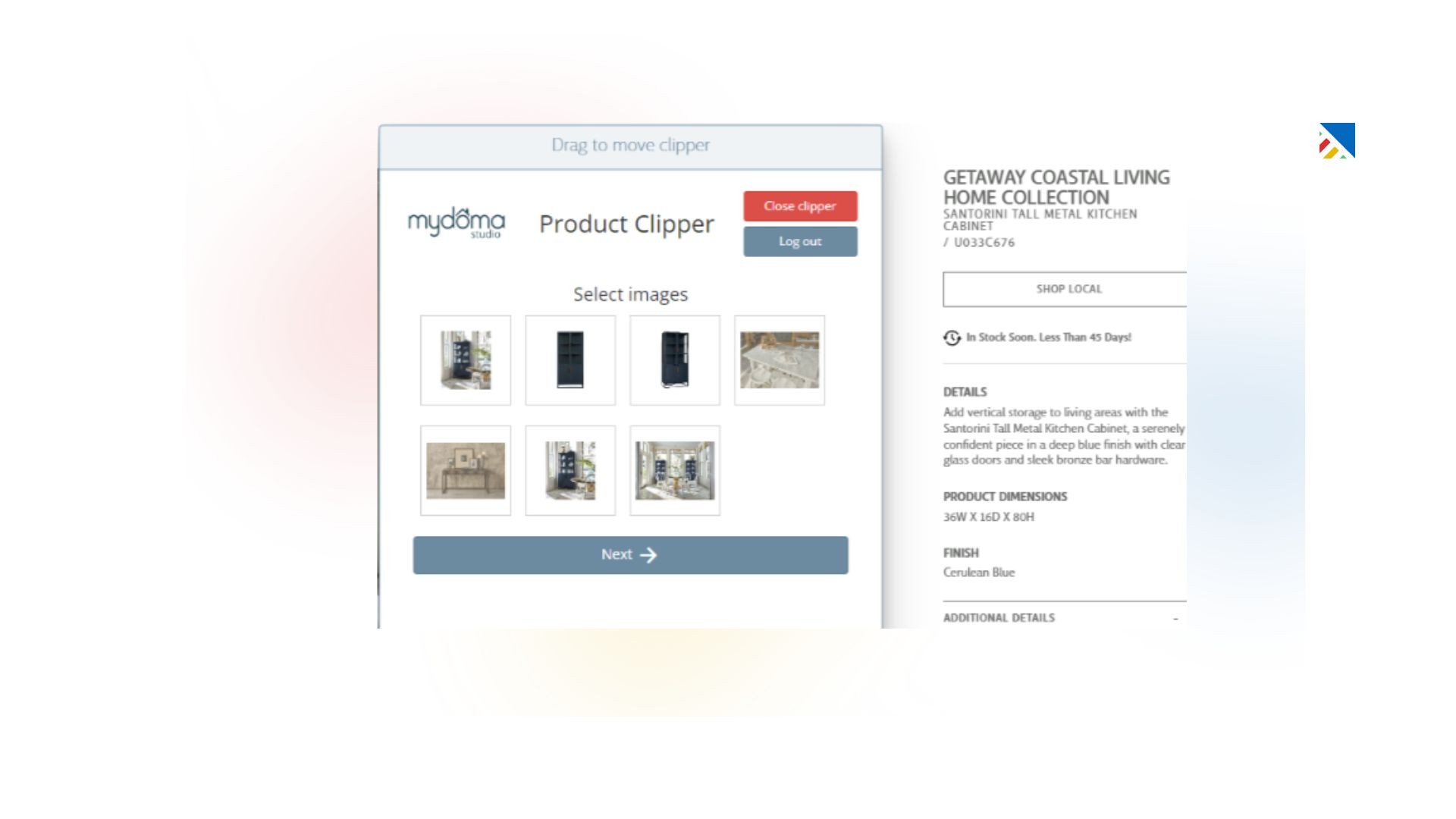
Best for: Interior designers and boutique studios focused on polished client communication, branded proposals, and payment management, particularly those already using QuickBooks for accounting.
Mydoma Studio has long been a go-to for designers who prioritize the client-facing side of their practice. Now part of the Studio Designer family (following a 2024 acquisition), it sits at the entry point of a platform that can grow into more advanced procurement and financial management as your firm scales.
The branded client portal is Mydoma's defining feature: clients get a single, organized space to view designs, approve proposals, sign contracts, and process payments. For designers who compete on client experience as much as design quality, that matters.
Key Features
Branded client portal with contract signing, payment processing, and project updates
Mood boards, floor plans, and photorealistic renderings via the Visualizer feature
Product catalogue with product clipper for sourcing from vendor websites
Proposal and invoice management with QuickBooks integration
Task management with priority ranking and team assignment
Upgrade path to Studio Designer for advanced procurement and accounting
Pricing: Starts at $64/user/month
Upgrade tiers (as Studio Designer): Essentials $69, Enterprise $79, Premier $99 per user/month
Where It Stands Out: If polished, friction-free client interactions are your north star, Mydoma delivers. The portal is genuinely better designed for non-technical clients than most alternatives, and the onboarding workflow (contracts, welcome sequence, project setup) is smooth.
Limitations: Some long-time users have noted that the platform became less stable and harder to navigate after the transition to Mydoma NEXT. The tool lacks construction-specific features like change order forms, and its procurement and accounting depth requires upgrading to the full Studio Designer platform.
4. Houzz Pro: Best for Marketing-Led Firms and Lead Generation
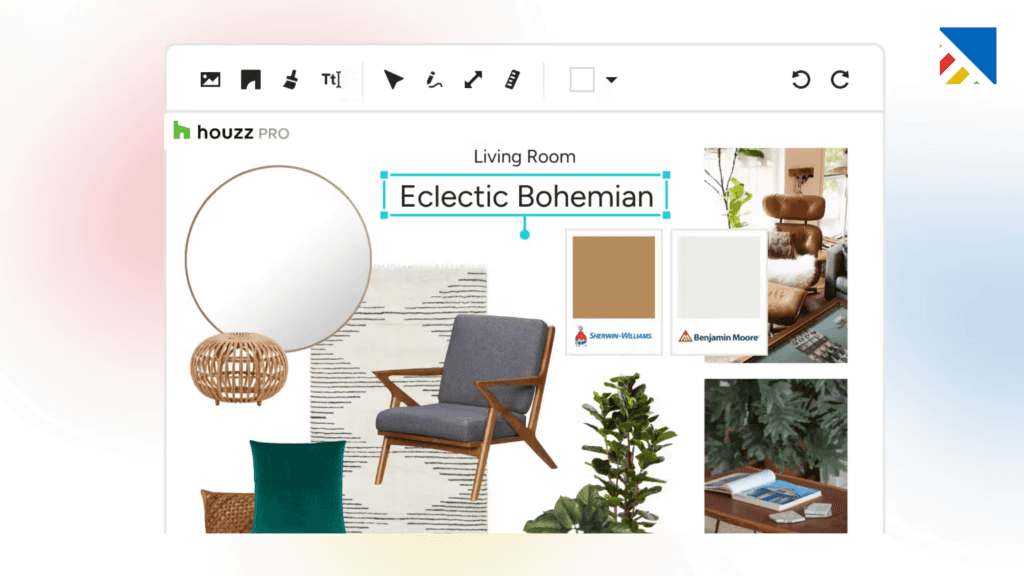
Best for: Design firms looking to grow their client base through lead generation, combined with solid project management and visual design tools, particularly those already active in the Houzz marketplace.
Houzz Pro occupies a unique position: it's the only major platform that combines interior design project management with a built-in marketing engine. Beyond proposals, floor plans, and client communication, it gives you tools to build a company website, run targeted ads, and capture leads directly through the Houzz platform.
For firms in growth mode, those actively looking to win new residential clients, that combination is hard to replicate elsewhere without paying for multiple subscriptions.
Key Features
2D and 3D floor plans with AR (augmented reality) tours for client walkthroughs
Mood boards, project proposals, time tracking, and invoicing
Built-in lead generation tools: targeted advertising, company website builder, and Houzz marketplace visibility
CRM for managing client relationships and project history
Extensive product library with direct marketplace sourcing
Client dashboard for sharing updates and collecting feedback
Pricing: Essentials: $99/month (billed annually)
Pro: $159/month (billed annually), includes advanced design tools
Additional team members: $60/user/month
Where It Stands Out: No other platform in this category bundles lead generation, advertising tools, and project management together. If you're actively growing your residential client base and want your marketing and operations in the same ecosystem, Houzz Pro offers real efficiency gains.
Limitations: It's expensive, especially once you add team members. The task management is board-only, which is less flexible than dedicated PM tools. Financial reporting is limited without QuickBooks integration, and some designers have noted concerns about Houzz's marketplace practices worth researching before committing.
5. Programa: Best for FF&E Specification and Premium Client Portals
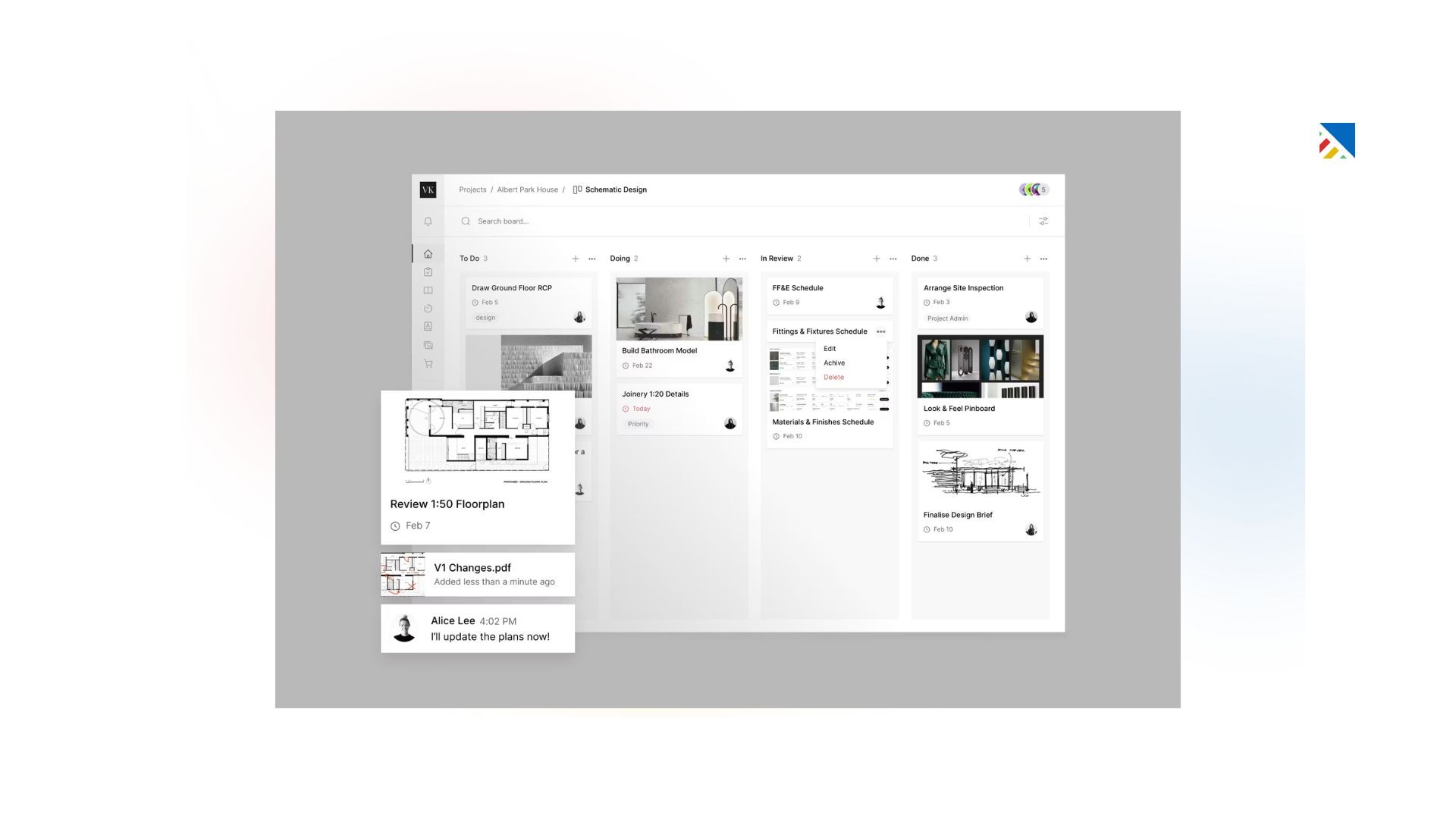
Best for: Interior design and architecture studios that need structured FF&E specification management, procurement coordination, and a beautifully designed client portal, with strong scalability for growing teams.
Programa is built for the way design studios actually work, spec-heavy, procurement-intensive, and highly visual. Its live schedules eliminate version drift (that painful problem where your team is working off last Tuesday's spec sheet while the client has Thursday's), and its QR-code-accessible client portals make approvals faster without requiring clients to remember another login.
Trusted by 5,000+ designers, Programa has become a strong choice for studios where product specification and vendor coordination are central to daily operations.
Key Features
Live FF&E schedule management with real-time updates for the whole team
Branded client portals with QR-code access, No login required for clients
Procurement workflows: track vendor orders from RFQ through installation
Product sourcing, custom product library, and vendor relationship management
Integrations with QuickBooks and Xero for financial continuity
Scalable for both boutique studios and larger multi-project firms
Pricing: Starts at $59/user/month
7-day free trial, no credit card required
Where It Stands Out: Programa's structural advantage is that it's genuinely built around design practice, not adapted from a generic PM tool. The live specification schedules are a practical differentiator: they reduce the version confusion that costs studios real time and client trust.
Limitations: Project management features beyond scheduling and procurement are more basic than dedicated platforms. Deep resource management and workflow automation aren't its strong suit. Firms needing advanced task management may want to pair Programa with an additional tool.
6. Design Manager: Best for Established Firms Needing Full Accounting Integration
Best for: Established US-based interior design firms that need end-to-end control over purchasing, vendor management, and accrual-based accounting, all in one purpose-built system with four decades of industry focus.
Design Manager is the most financially serious platform on this list. It doesn't just track what you're spending, it manages the full procurement and accounting lifecycle: FF&E specifications with automatic markup and freight calculations, purchase order management, client billing, and accrual-based accounting in a single integrated system.
For firms where financial precision is a competitive advantage and where principals need to see true project profitability across dozens of line items, Design Manager does things that no other platform on this list attempts.
Key Features
FF&E specification management with separate client/vendor descriptions and automatic markups, discounts, and freight calculations
Multi-step procurement workflows aligned to standard design phases from programming through installation
Accrual-based accounting with detailed profit reporting — no QuickBooks dependency required
Purchase order processing, vendor tracking, and payment management
Client billing and retainer management with comprehensive financial reporting
40+ years of interior design industry specialization
Pricing: $79/user/month
Free trial available
Where It Stands Out: The reporting depth is genuinely unmatched in this category. If you want to see true profitability at the line-item level, which projects, rooms, or even vendors are most profitable, Design Manager gives you that visibility. For firms billing $500K+ annually, that kind of insight directly affects margin.
Limitations: Design Manager isn't the most modern-looking tool. Its interface reflects its heritage rather than 2026 UX conventions. The client-facing experience is functional but not as polished as Programa or DesignFiles. And at $79/user/month, it's a significant investment for smaller practices.
7. Plaky: Best Free Option for Solo Designers and Small Teams
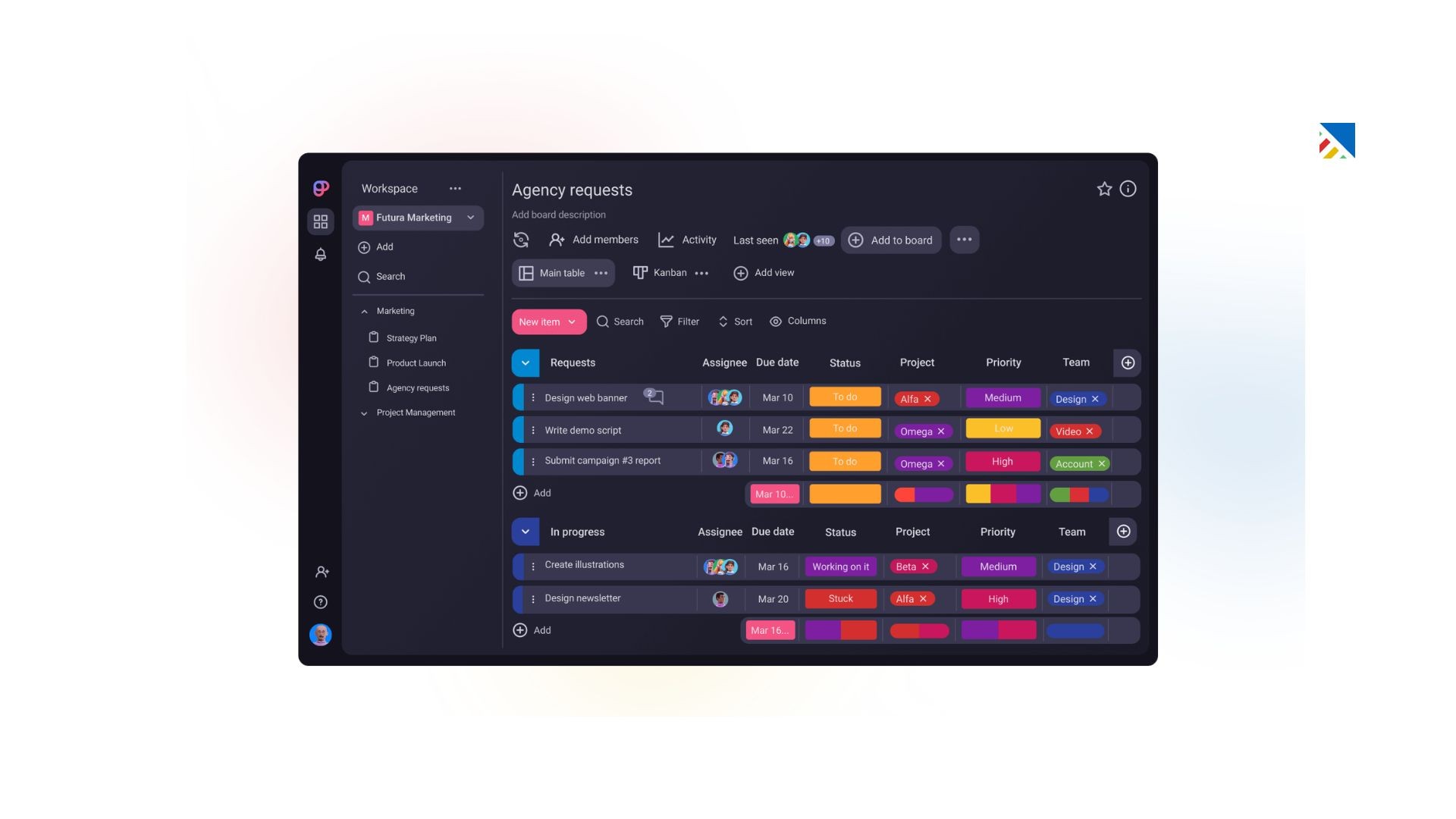
Best for: Solo interior designers and small studios that need visual, flexible task management with a genuinely useful free tier, without paying for features they don't need yet.
Plaky's main selling point is straightforward: it offers unlimited users on its free plan, has a short learning curve, and provides 24/7 human support, even on the free tier. For a solo designer or a two-person studio just getting started with project management software, it removes the usual 'let me figure out if this is worth $X/month' barrier.
It's not purpose-built for interior design, there's no FF&E management or client portal, but it handles the fundamentals of task management, deadline tracking, and team communication well.
Key Features
Kanban, Table, and Gantt views with customizable columns for design phases
Colour-coded tasks and workspaces are visually intuitive for creatives
File and document storage within task cards, accessible to the whole team
Mentions, comments, and in-app notifications for team communication
Project templates to speed up setup for repeating project types
24/7 human support on all plans, including free
Pricing: Free: Unlimited users, core task management features
Pro: $3.99/user/month (billed annually)
Where It Stands Out: The unlimited free tier with real human support is genuinely unusual. Most free plans in this space are so restrictive that they're barely worth using. Plaky's is actually functional for a solo designer or a small team. It's an honest starting point.
Limitations: Plaky doesn't pretend to be an interior design-specific tool. There's no product sourcing, procurement, client portal, or FF&E management. As your studio grows and those needs emerge, you'll likely move to a more specialized platform. Think of Plaky as the on-ramp, not the destination.
Start Free and Scale Without Chaos
How to Choose the Right Interior Design Project Management Software
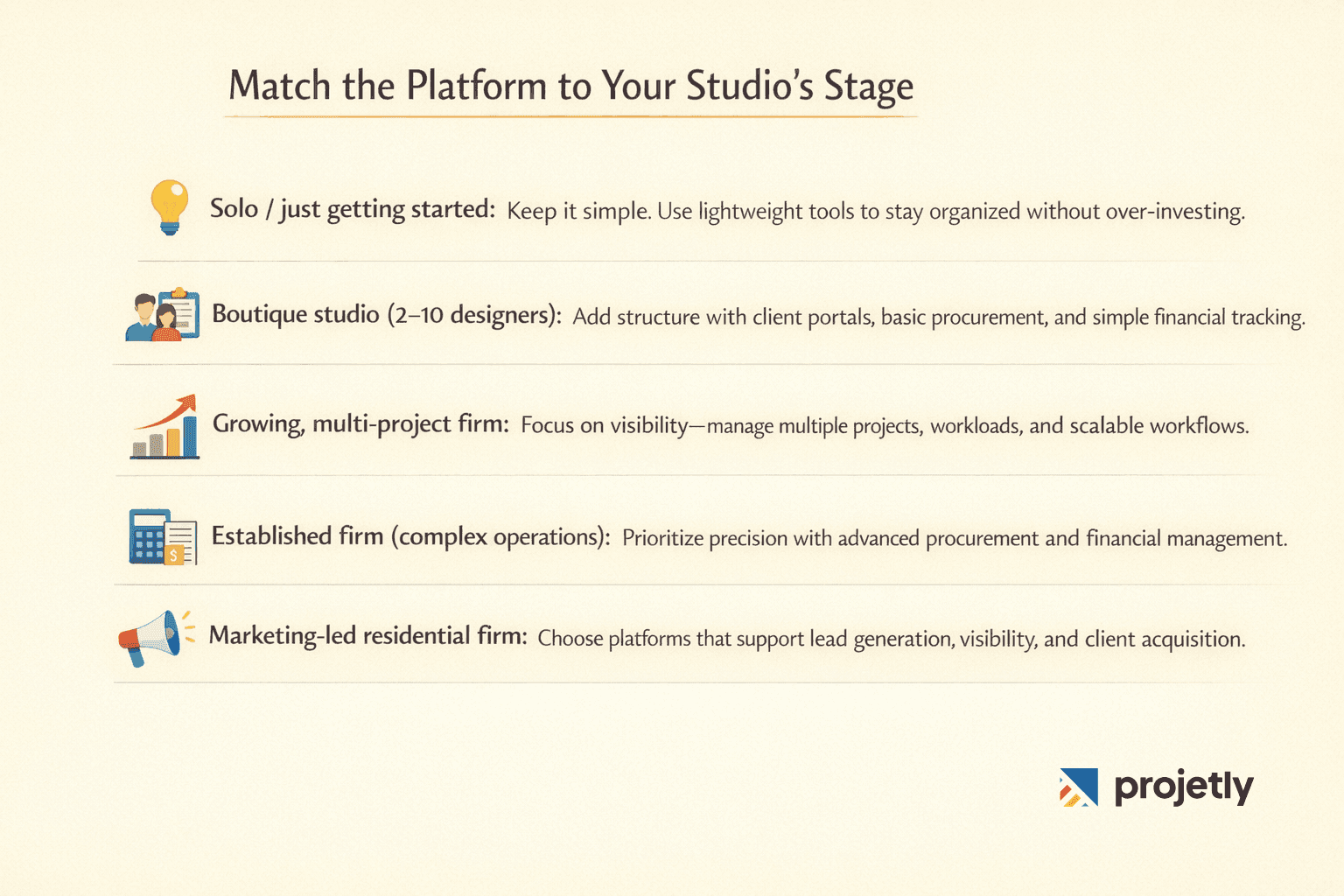
The honest answer: the best project management platform is the one your team will actually use, consistently. But that still requires making a smart initial choice. Here's a practical framework.
Solo / just getting started: Start simple. Focus on getting organized with lightweight tools so you don’t over-invest in features you won’t use yet.
Boutique studio (2–10 designers): At this stage, you need structure. Look for platforms that offer client portals, basic procurement workflows, and simple financial tracking to keep projects on track.
Growing, multi-project firm: As complexity increases, visibility becomes critical. Choose a solution that helps you manage multiple projects, balance team workload, and build scalable workflows.
Established firm (complex procurement & accounting): When operations become more sophisticated, precision matters. Prioritize platforms with strong procurement capabilities and detailed financial management.
Marketing-led residential firm: If growth depends on inbound leads and visibility, prioritize platforms that also support marketing, lead generation, and client acquisition.
Key Questions to Ask Before You Commit
Does this platform support FF&E specifications natively, or will I need workarounds?
How polished is the client experience? Does the portal reflect my brand?
Is accounting built in, or will I need additional tools?
Will my team actually adopt this, or does it risk becoming “another inbox”?
If I outgrow the platform, how easy is it to export or migrate my data?
Try Before You Buy
Most platforms offer a free trial or a limited free plan; use it.
Don’t rely on demos alone. Set up a real (or test) project with actual tasks, vendor details, and client communication. The gap between tools that look good and those that work in practice becomes clear very quickly.
Where Projetly Fits In
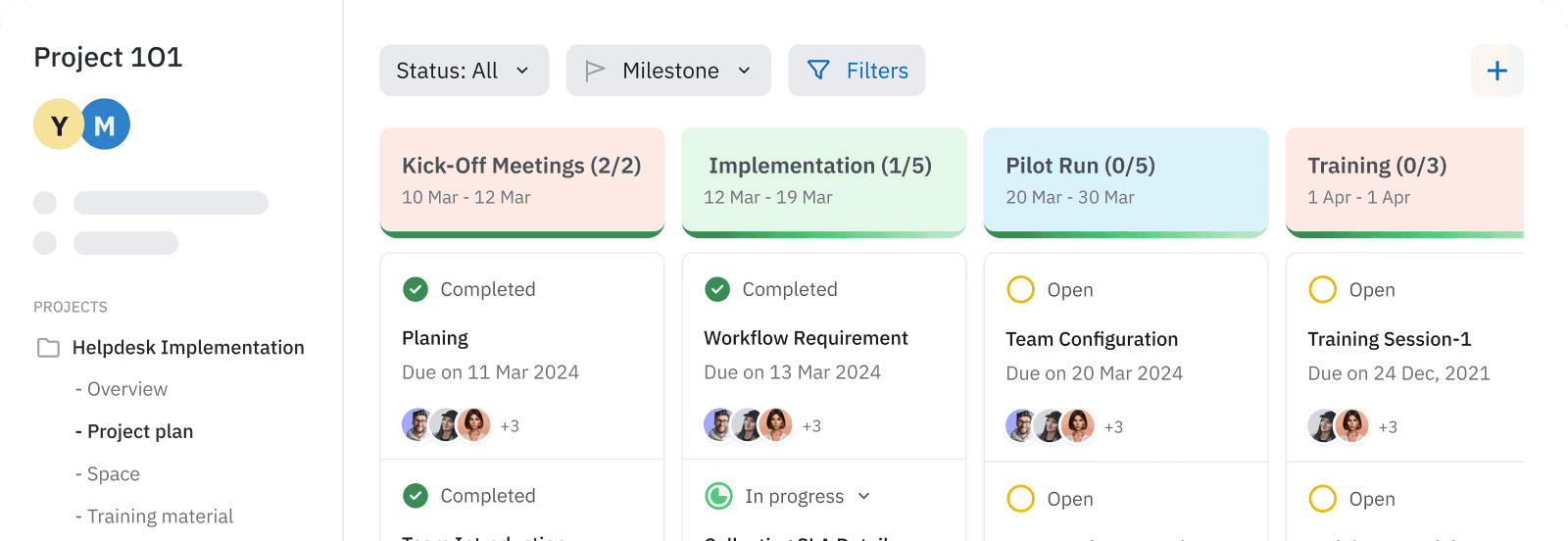
If your biggest challenge isn’t just managing projects, but bridging the gap between sales, onboarding, and delivery, this is where Projetly stands out.
Most interior design tools focus heavily on execution, tasks, procurement, or client communication. But many studios still struggle with what happens before and between those stages: capturing client context, aligning expectations, and ensuring nothing gets lost from first conversation to final delivery.
Projetly is built to unify that entire journey.
Instead of juggling discovery notes, proposals, onboarding checklists, and project execution across disconnected tools, everything lives in one shared workspace, giving your team and your clients a single source of truth.
What makes Projetly different
Seamless sales → onboarding handoff: No more lost context between initial discussions and project kickoff
Shared client workspace (Digital Sales Room): Keep proposals, conversations, files, and approvals in one place
AI-powered workflows: Automatically capture meeting insights, generate tasks, and structure onboarding
End-to-end visibility: From first interaction to final delivery, without switching tools
When to consider Projetly
You’re scaling and struggling with handoffs between sales and execution
Client communication is scattered across emails, docs, and calls
Your onboarding process feels inconsistent or manual
You want a more structured, modern client experience
Book a Demo & See How Projetly Fits Your Studio
Frequently Asked Questions
What software do most interior designers use for project management?
In 2026, the most widely used platforms among independent designers and boutique studios are DesignFiles, Mydoma Studio, and Houzz Pro. Growing firms increasingly use monday.com for its flexibility and AI capabilities. Larger or more financially complex studios tend toward Design Manager or Studio Designer.
Is there free interior design project management software?
Yes. Plaky offers a genuinely useful free tier with unlimited users. Monday.com has a free plan for up to 2 seats. DesignFiles allows your first project for free with no time limit. For solo designers or small teams just getting started, these are legitimate starting points.
What is FF&E management, and why does it matter?
FF&E stands for Furniture, Fixtures, and Equipment, the specification and procurement process that governs what gets ordered, from whom, at what price, and with what markup. It's one of the most administratively complex parts of interior design project delivery. Platforms like Design Manager, Programa, and Fohlio handle this natively. Generic tools like Asana or Trello do not.
Can interior designers use monday.com or ClickUp instead of design-specific software?
Yes, and many do, especially growing firms that need portfolio-level visibility and AI automation. The trade-off is that these platforms require customization to handle design-specific workflows like product sourcing, client approval sequences, and FF&E specs. If those workflows are central to your operations, a purpose-built tool will save setup time and reduce workarounds.
What is the best interior design software for a small firm?
DesignFiles and Mydoma Studio are the most commonly recommended options for small firms in 2026. Both provide all-in-one capabilities, design boards, client portals, invoicing, and project tracking, at price points that make sense for studios of 1–5 people.
Does interior design project management software help with client communication?
Absolutely, and it's one of the highest-value features in this category. Purpose-built client portals (available in DesignFiles, Mydoma, Houzz Pro, and Programa) reduce the back-and-forth of email chains, provide a single source of truth for approvals, and give clients visibility into project progress without requiring constant updates from the designer.
Final Thought
The interior design industry has matured significantly when it comes to software tooling. In 2026, there's a platform purpose-built for essentially every stage of a design practice, from solo designers running their first few projects to multi-studio firms managing complex procurement and accrual accounting.
The biggest mistake most studios make isn't choosing the wrong tool; it's delaying the decision entirely. Every week of manual spreadsheets, scattered email approvals, and duplicate data entry has a real cost in time, profitability, and client experience.
Start with a clear-eyed view of where your studio is right now, where it's headed in the next 12 months, and which workflows are your biggest time sinks. Then pick the platform that solves those problems first; you can always expand or migrate later.
You may also like

A Guide to Project Management Professional Certification

Laugh Your Way to Productivity: 50 Workplace Quotes

50 Funny Workplace Memes That’ll Brighten Your Workday.
What Does a Customer-First Mindset Mean? Explained in 2025

What It Takes to be a Great Customer Success Manager in 2025