Project Management

By
Sammy Jones
The Complete Toolkit of Project Management Software for Civil Engineers (2026)
A practical, no-fluff guide to the tools reshaping how civil engineering firms plan, execute, and deliver projects in 2026.
Managing a civil engineering project is nothing like running a typical business operation. You're coordinating across surveyors, structural engineers, contractors, clients, and regulators, often simultaneously, often under pressure, and almost always on timelines that leave no room for error. A missed document approval can stall excavation. A miscommunication about resource allocation can push a bridge project three months past deadline.
That's why the software you use to manage these projects matters enormously. Not every tool is built for the demands of civil engineering, and picking the wrong one can cost far more than the license fee. This guide cuts through the noise and gives you a clear picture of what's available in 2026, what each tool actually does well, and how to match software to your firm's specific situation.
Turn Your Deals Into Deliveries, Book a Demo
Why Generic Project Management Tools Fall Short for Civil Engineers
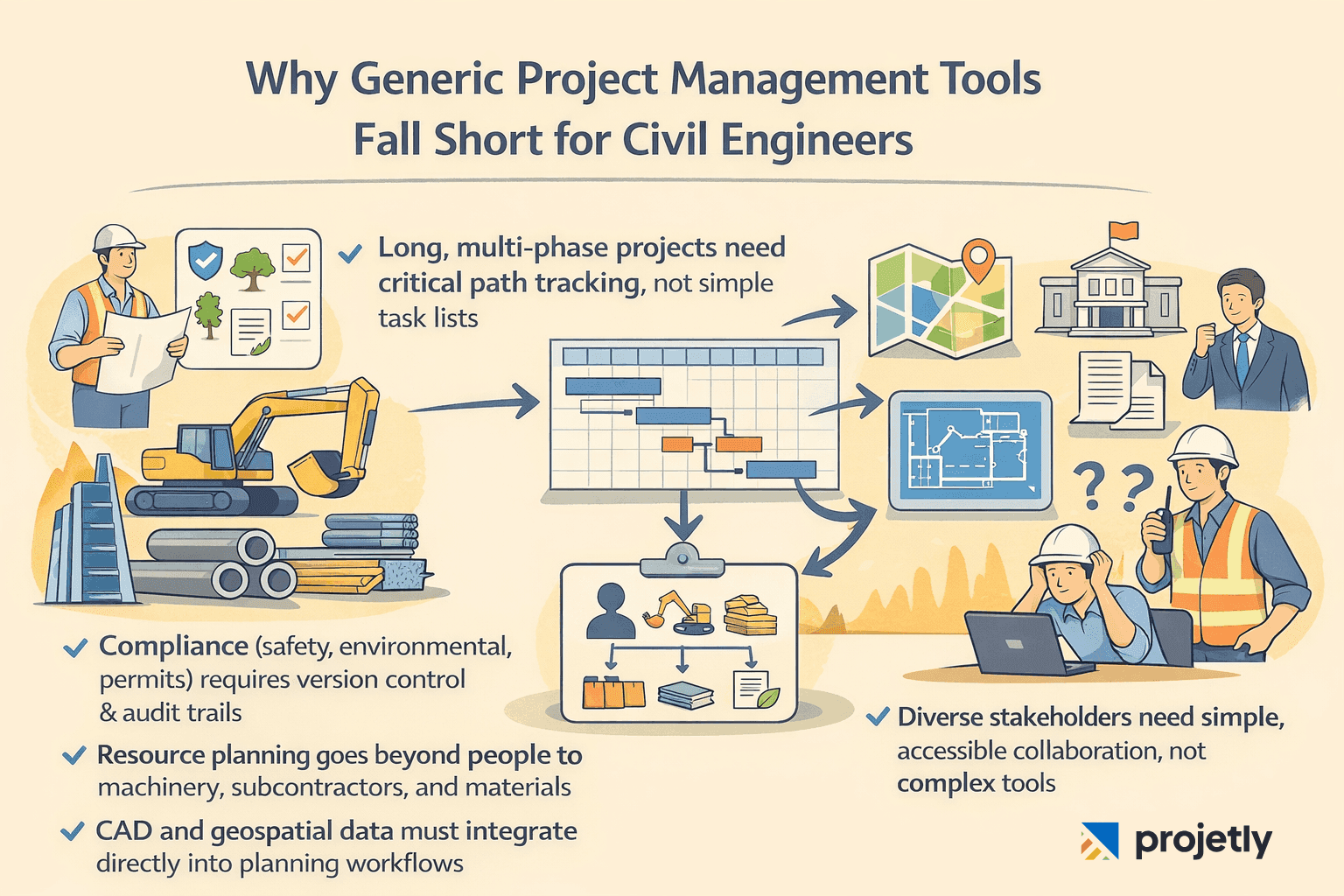
Most project management platforms were designed for software teams, marketing departments, or generic business workflows. They handle task lists and deadlines well enough. But civil engineering projects operate in a different reality:
Projects span years, not sprints, with interdependent phases that require critical path tracking.
Compliance documentation, safety audits, environmental clearances, and permit filings must be version-controlled and auditable.
Resource management involves not just people, but heavy machinery, subcontractors, and material procurement with lead times.
Geospatial and CAD data need to flow directly into planning and scheduling decisions.
Stakeholders range from government bodies and clients to site supervisors who may not be comfortable with complex software.
A Kanban board that works beautifully for a product team will frustrate a project engineer who needs to track a 400-line work breakdown structure against earned value milestones. The tools that work in civil engineering are the ones purpose-built for this complexity, or adaptable enough to handle it without painful workarounds.
Key Features to Evaluate Before You Choose
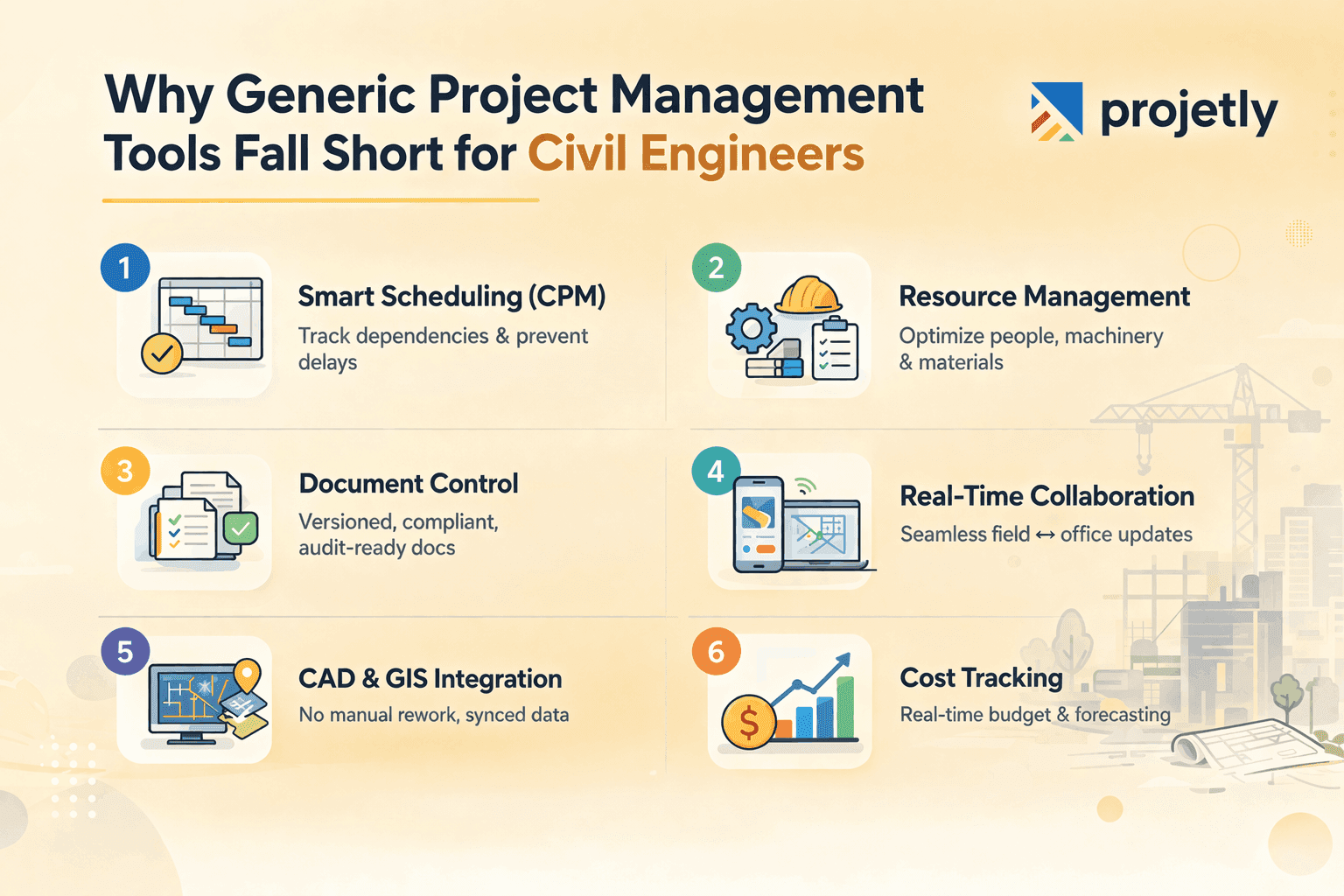
Before diving into specific tools, here's the feature checklist that matters most for civil engineering project management in 2026:
1. Advanced Scheduling and Critical Path Management
Civil engineering projects live and die by their schedules. Look for tools that support Gantt charts with dependency linking, baseline tracking, and critical path method (CPM) analysis. If you're managing multi-phase infrastructure with dozens of contractors, you need more than a visual timeline; you need intelligent scheduling that flags slippage before it compounds.
2. Resource and Equipment Management
Labour is only part of the equation. The best tools let you allocate, track, and forecast the use of specialized equipment, materials, and subcontractor capacity. Look for resource levelling features that help you avoid over-committing teams or machinery across overlapping project phases.
3. Document Control and Compliance Tracking
RFIs, submittals, change orders, as-built drawings, safety checklists, and civil projects generate enormous paper trails. Your software should centralize document management with version control, approval workflows, and audit-ready logs. Regulatory compliance isn't optional, and a scattered document environment creates real liability.
4. Real-Time Collaboration Across Sites and Offices
The gap between field teams and the project office has always been a pain point. Modern civil engineering software closes this with mobile-friendly interfaces, real-time updates, photo documentation from the site, and push notifications for critical approvals. In 2026, field-to-office connectivity isn't a premium feature; it's a baseline expectation.
5. Integration with Design and GIS Tools
Your project management software should talk to your design environment. Whether that's Autodesk Civil 3D, ArcGIS, or another platform, seamless data exchange prevents the costly errors that come from manually re-entering survey data or design changes into a separate scheduling system.
6. Budget and Cost Management
Earned value management (EVM), budget-to-actual tracking, and cost forecasting are non-negotiables on any public infrastructure project. Tools that integrate financial tracking with project schedules give project managers a real-time picture of financial health alongside physical progress.
Start Free Trial: From Demo to Delivery in One Place
The Best Project Management Software for Civil Engineers in 2026
Here's an honest breakdown of the leading tools, what they're genuinely good at, where they fall short, and who they're best suited for.
AutoCAD Civil 3D: Best for Design-Integrated Project Delivery
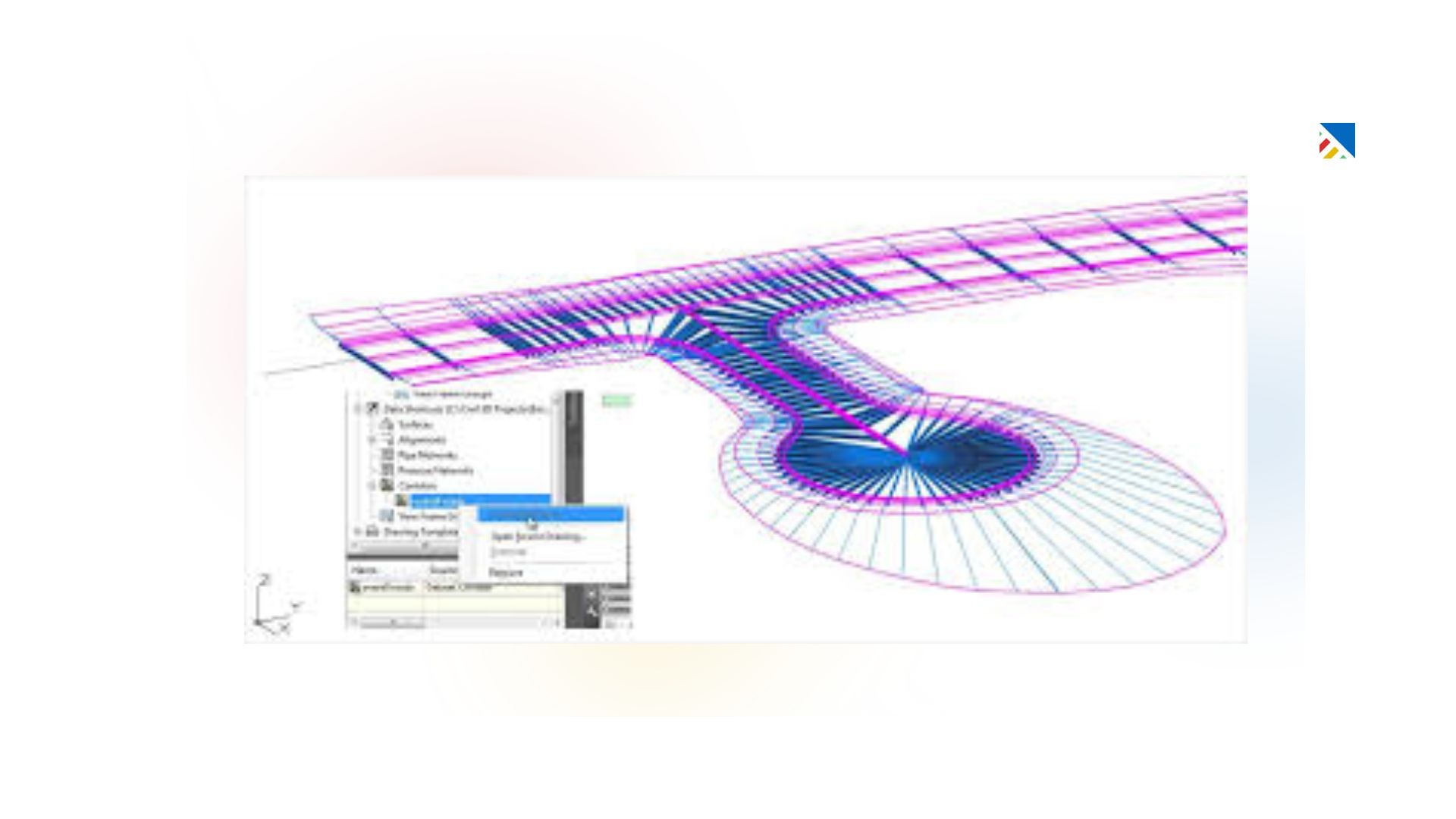
AutoCAD Civil 3D from Autodesk remains the industry standard for civil design work. It's not purely a project management platform, but it's indispensable for firms where design and project execution are tightly coupled. Civil 3D handles topographic modelling, road corridor design, drainage analysis, and grading, all within a BIM-aware environment that connects to Autodesk's broader Construction Cloud ecosystem.
Where it shines: Civil 3D creates a single source of truth for design data that field teams, estimators, and project managers can all access. When a design changes, that change propagates across drawings, quantities, and documentation automatically.
Where it falls short: Civil 3D is a design tool first. For scheduling, resource tracking, and multi-stakeholder collaboration, you'll need to pair it with a dedicated PM platform. The learning curve is steep, and the licensing cost can be prohibitive for smaller firms or independent engineers.
Best for: Mid-to-large engineering firms doing significant infrastructure design work who need their project management to integrate with a design-centric environment.
Oracle Primavera P6: Best for Large-Scale Infrastructure Programmes
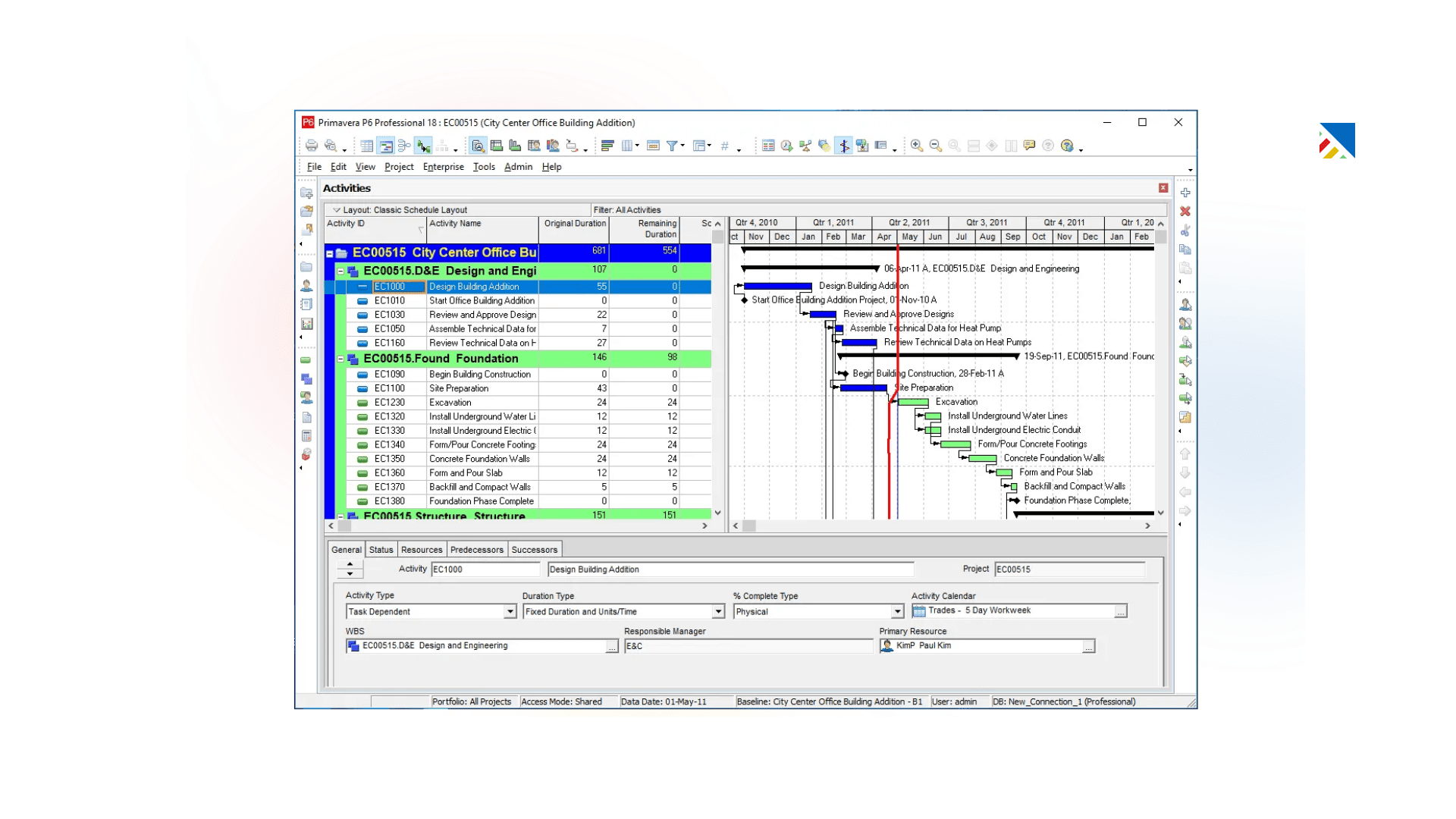
If Civil 3D is the industry standard for design, Primavera P6 is its equivalent for project controls. It's the tool of choice on major infrastructure programmes, highway networks, dam construction, transit systems, and port developments, where you're managing thousands of activities across multiple contractors and a multi-year timeline.
P6 delivers sophisticated critical path analysis, resource-loaded schedules, earned value management, and risk quantification. It integrates with ERP systems like Oracle and SAP, which matters for firms where project financials need to sync with enterprise accounting.
Where it falls short: P6 is complex. Implementation requires formal training, and the interface is notoriously unintuitive for anyone who hasn't been formally trained on it. For firms without a dedicated project controls function, it can be overkill.
Best for: Large engineering and construction firms, government infrastructure agencies, and EPC contractors managing complex, multi-contractor programmes.
Microsoft Project: Best for Structured Enterprise Scheduling
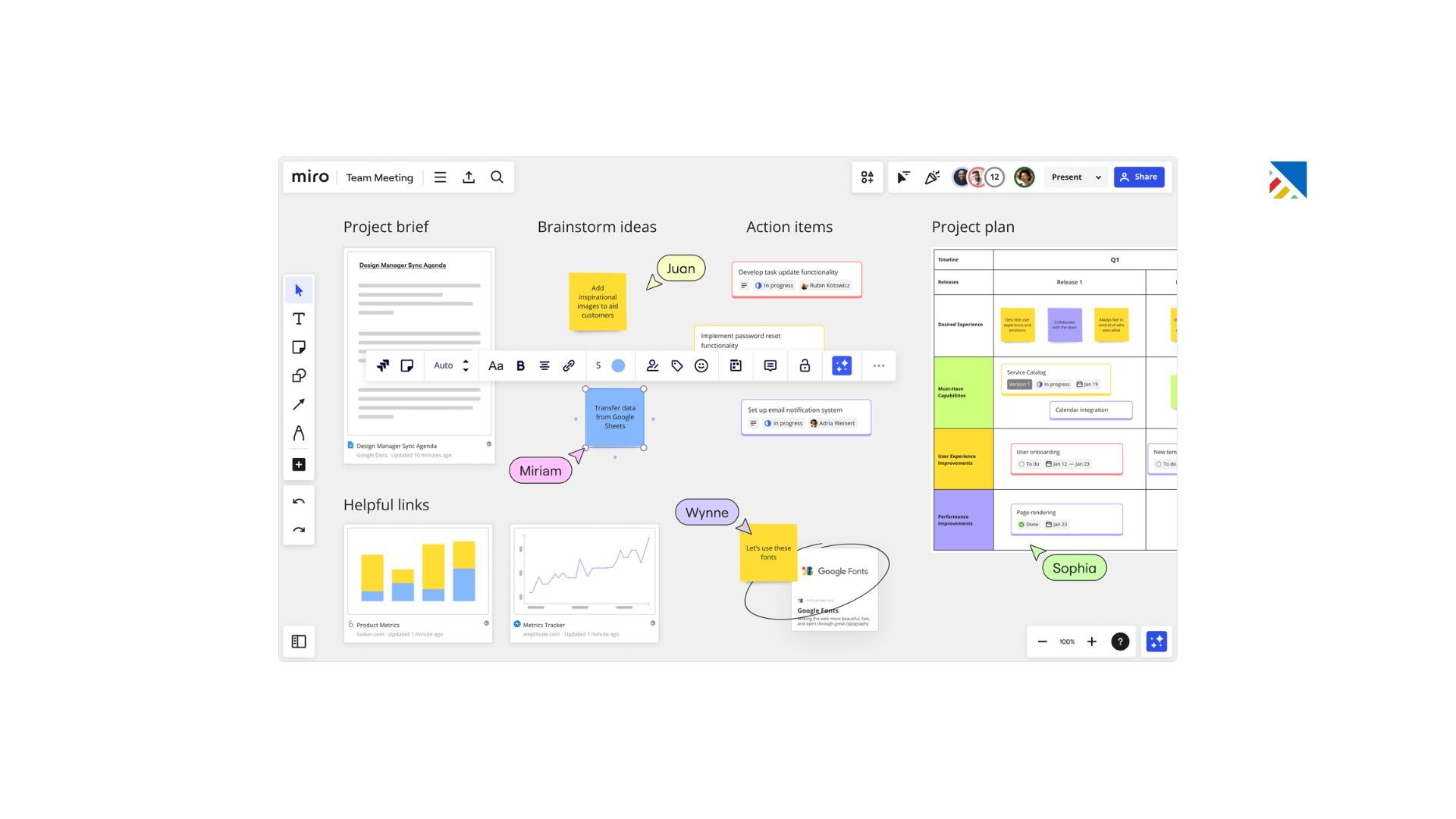
Microsoft Project occupies a useful middle ground between the complexity of Primavera and the simplicity of general-purpose tools. Its Gantt-based interface is familiar, its integration with the Microsoft 365 ecosystem is seamless, and its resource allocation and reporting features are genuinely capable for mid-sized projects.
The cloud-based Project for the Web version has made significant strides in 2026, with better collaboration features and tighter integration with Teams and SharePoint. For firms already living inside the Microsoft ecosystem, the transition is relatively painless.
Where it falls short: It lacks the depth of Primavera for truly complex projects, and field team adoption can be patchy, given the interface isn't optimised for mobile use. The licensing cost, particularly at scale, adds up quickly.
Best for: Engineering firms running medium-complexity projects who are already using Microsoft 365 and want strong Gantt-based scheduling without the full weight of an enterprise platform.
Talk to Our Team, We’ll Show You How It Works
Procore: Best for Construction Collaboration and Field Documentation
Procore has established itself as one of the most widely adopted platforms in the construction industry, and civil engineering firms are increasingly part of that adoption curve. Its strength lies in field-to-office connectivity, document management, RFI tracking, submittal workflows, daily logs, and inspection reports, all of which flow through a single platform that field teams can access on a phone or tablet.
Procore's drawing management and punch list tools are particularly strong, and its marketplace of integrations covers estimating, accounting, and scheduling software. In 2026, it has also deepened its BIM collaboration capabilities, making it increasingly relevant for design-build civil projects.
Where it falls short: Procore is not a scheduling tool. You'll need to integrate it with P6 or MS Project for detailed schedule management. The pricing model, based on annual revenue, can feel opaque.
Best for: Civil engineering and construction firms that need robust field collaboration, document control, and inspection management alongside a separate scheduling tool.
Wrike: Best for Cross-Functional Team Coordination
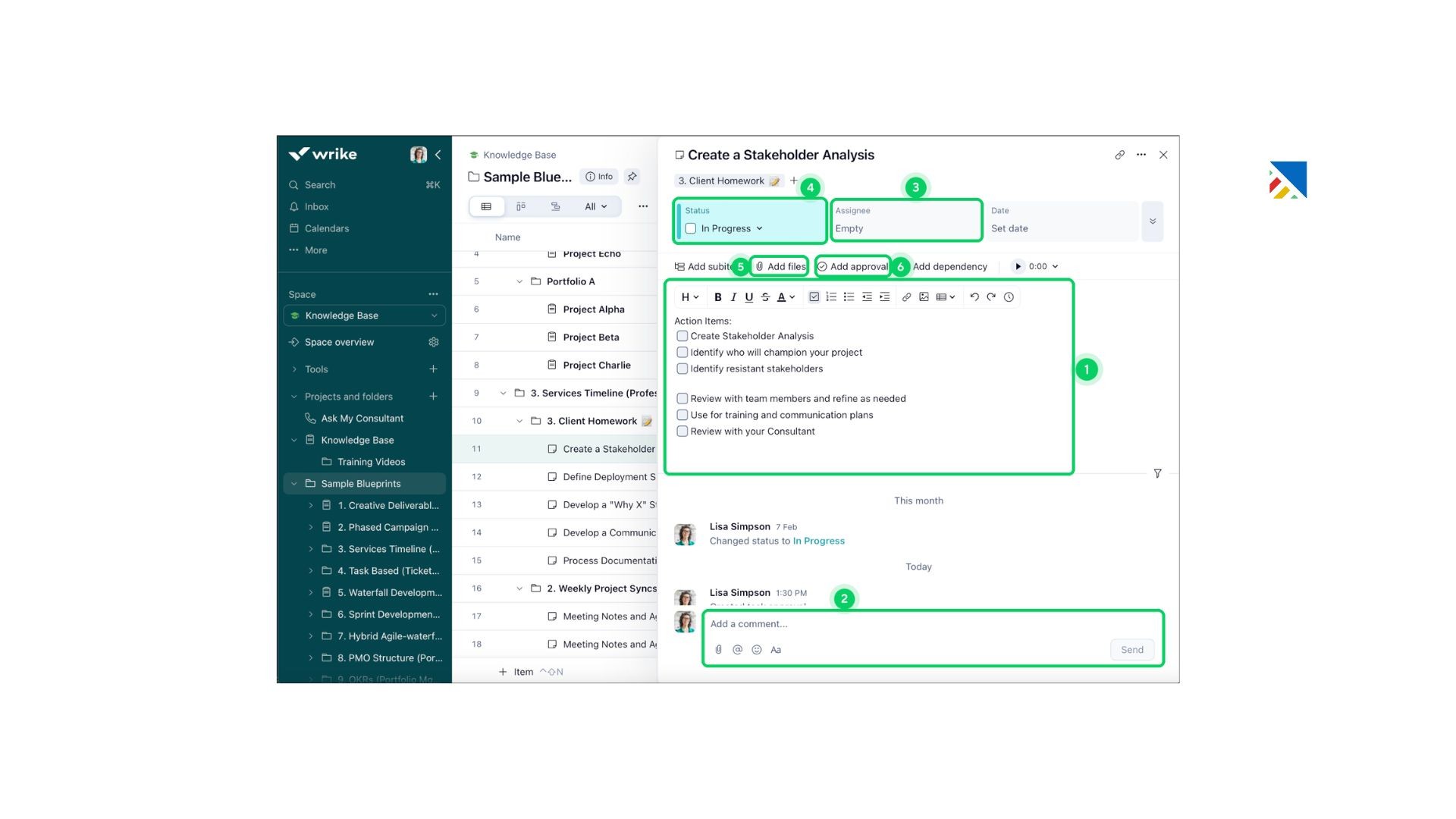
Wrike sits in a different category from the heavy-duty construction platforms above; it's a general-purpose work management platform that civil engineering firms are increasingly using for the coordination overhead that surrounds their technical work: client communication, internal approvals, design review cycles, and cross-department project tracking.
Its dynamic dashboards, Gantt views, and portfolio-level reporting give project managers a real-time view across multiple projects. Wrike's automation capabilities reduce the manual effort of chasing approvals and updating stakeholders. For multi-office engineering firms, Wrike provides the connective tissue that keeps disparate teams aligned.
Where it falls short: Wrike doesn't have industry-specific civil engineering features. It won't replace your scheduling or design tools, and for pure project controls work, it lacks the depth of P6 or MS Project.
Best for: Engineering firms and consultancies managing multiple concurrent projects who need cross-team visibility and workflow automation alongside their core technical tools.
actiTIME: Best for Time Tracking and Budget Management
actiTIME addresses one of the most persistent pain points in civil engineering project management: accurately tracking how time is actually being spent and reconciling it against project budgets. It provides detailed timesheet management, task-level time tracking, project budget monitoring, and billing integration.
For engineering consultancies billing clients on a time-and-materials basis, actiTIME's reporting gives clear visibility into profitability by project and by team member. Its integration with QuickBooks and Zapier extends its reach into broader financial workflows.
Where it falls short: actiTIME is a time and budget tracking tool, not a full project management platform. You'll use it alongside scheduling and collaboration tools rather than instead of them.
Best for: Engineering consultancies and smaller civil engineering teams who need precise time and cost tracking without the overhead of a full enterprise platform.
Asana and Trello: Best as Supplementary Tools for Smaller Teams
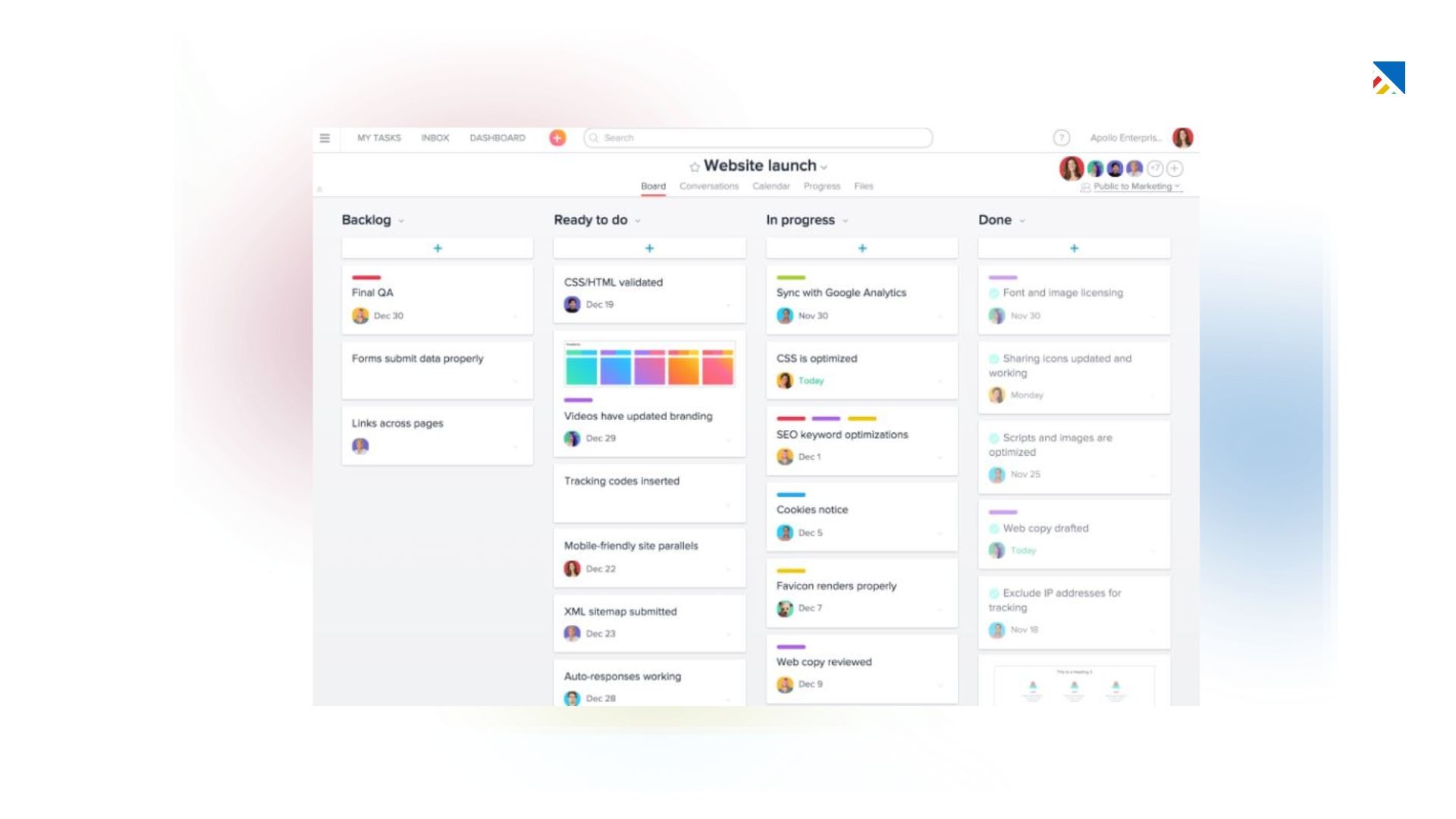
Both Asana and Trello earn their place in the civil engineering toolkit not as primary project management platforms, but as lightweight coordination layers for specific use cases: managing internal workflows, tracking administrative tasks, onboarding subcontractors, or running smaller projects where the overhead of enterprise software isn't justified.
Asana's timeline view and dependency tracking give it more structural capability than Trello's Kanban-only approach. Both tools are intuitive, quick to set up, and inexpensive, which makes them practical choices for teams that need to get organised quickly without a long implementation cycle.
Where they fall short: Neither platform is designed for civil engineering. They lack resource management, compliance tracking, or meaningful integration with design tools.
Best for: Small engineering teams, project coordinators managing administrative workflows, or as a supplementary tool for specific workstreams within a larger firm.
Start Your Free Trial, Close Faster, Onboard Smarter
Quick Comparison: Civil Engineering Software at a Glance
Tool | Best For | Strengths | Limitations |
|---|---|---|---|
AutoCAD Civil 3D | Design-integrated delivery | Strong BIM-based design, auto-updates across drawings & quantities | Not a PM tool, steep learning curve, expensive |
Oracle Primavera P6 | Large infrastructure programs | Advanced scheduling, CPM, EVM, resource & risk management | Complex, requires training, overkill for small teams |
Microsoft Project | Enterprise scheduling | Familiar Gantt charts, Microsoft 365 integration, solid reporting | Limited for mega-projects, weak mobile/field usability |
Procore | Field collaboration & documentation | RFIs, submittals, inspections, strong field-to-office sync | Not a scheduling tool, pricing can be unclear |
Wrike | Cross-team coordination | Dashboards, automation, portfolio visibility | Not industry-specific, lacks deep project controls |
actiTIME | Time & budget tracking | Detailed timesheets, cost tracking, billing insights | Not full PM software, needs other tools |
Asana / Trello | Lightweight task management | Easy to use, quick setup, low cost | No resource mgmt, compliance, or design integration |
How to Build a Software Stack That Actually Works
The most successful firms in 2026 don’t rely on one tool, they build a deliberate, well-integrated stack
Each tool has a clear role, with smooth data flow between systems
B. The ideal stack follows a simple structure:
Design tool
Scheduling & project controls tool
Field collaboration platform
Financial/time tracking system
C. A common effective setup:
Civil 3D → Design
Primavera P6 / MS Project → Scheduling & resources
Procore → Field collaboration & documentation
actiTIME → Time tracking & billing
Wrike → Cross-team coordination
D. Not every firm needs the full stack:
Small firms → Design + time tracking may be enough
Large EPC firms → Full stack + custom integrations
Talk to Our Team, We’ll Show You How It Works
Implementation: Getting Your Team to Actually Use the Software
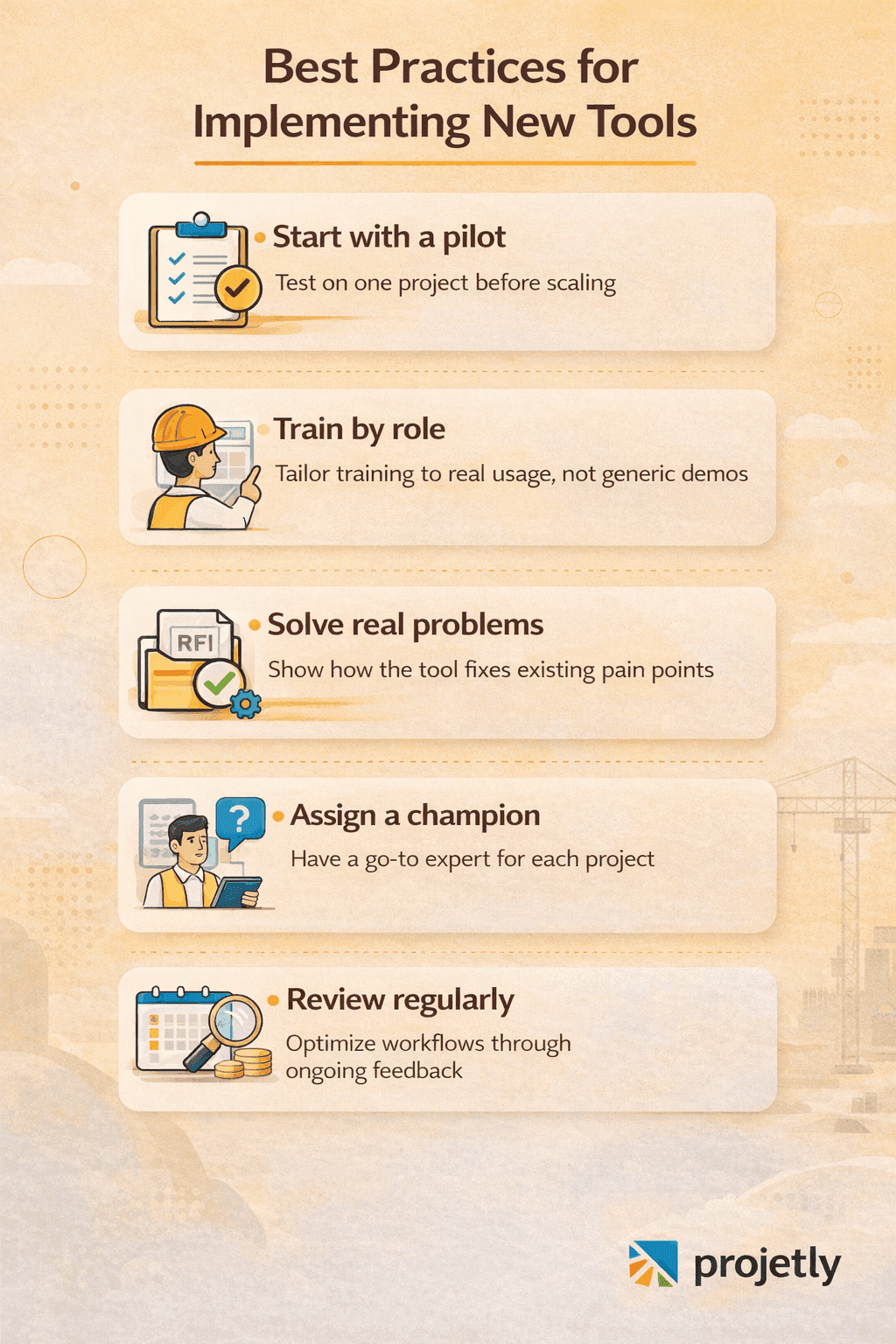
The most common reason civil engineering software implementations fail isn't technology, it's adoption. A Primavera licence sitting unused because the scheduling team prefers Excel is a waste of budget and an ongoing source of project risk.
A few things consistently improve adoption rates:
Start with a pilot project. Don't roll out new software across all active projects simultaneously. Pick one project with a cooperative team and use it to identify integration points, workflow gaps, and training needs before scaling.
Invest in role-specific training. A site engineer's use of Procore looks nothing like a project controller's use of P6. Generic 'here's the interface' training doesn't stick. Tailor training to how each role will actually interact with the tool.
Connect the software to real pain points. If your team is currently chasing RFI responses via email, show them specifically how the new system fixes that. Adoption follows when people can see the direct benefit to their own work.
Assign a software champion to each project. Someone who knows the tool well enough to answer questions, troubleshoot issues, and model good usage behaviour for the rest of the team.
Review and adjust regularly. No software implementation is perfect on day one. Build in a quarterly review process to assess what's working, what's creating friction, and what needs to change.
Need Help? Talk to an Expert
Final Thoughts: Choosing the Right Tool for Your Firm
There is no universally 'best' project management software for civil engineers. The right choice depends on the scale of your projects, the complexity of your team structure, your existing technology environment, and, honestly, your team's willingness to learn new tools.
What we can say with confidence is this: in 2026, the gap between firms using purpose-built project management software and those still coordinating on spreadsheets and email threads is growing. Projects are more complex, client expectations are higher, regulatory requirements are more demanding, and the margin for coordination errors is thinner.
Investing in the right tools and investing properly in making sure your team actually uses them is no longer a nice-to-have. It's a competitive necessity.
Start by auditing your current pain points.
Where are projects losing time? Where is communication breaking down?
Where are compliance risks accumulating?
The answers to those questions will point you directly to the category of software that will have the biggest impact on your firm's performance.
Try Projetly Free, See It in Action
Frequently Asked Questions
What is the most widely used project management software in civil engineering?
Primavera P6 and Autodesk's Civil 3D / Construction Cloud are the most widely adopted platforms among large civil engineering firms globally. For mid-sized firms, Microsoft Project and Procore are increasingly common. The 'most used' tool varies significantly by region, firm size, and project type.
Can I use Asana or Trello for civil engineering projects?
Yes, but with limitations. Both tools work well for managing administrative workflows, internal coordination, and smaller projects. For complex infrastructure projects requiring critical path scheduling, resource management, or compliance documentation, you'll need more specialised software alongside them.
How much does civil engineering project management software typically cost?
Pricing varies enormously. Tools like Trello and actiTIME's entry tier start under $10/user/month. Mid-range platforms like Wrike and Microsoft Project typically run $20–$55/user/month. Enterprise platforms like Primavera P6 and Procore involve bespoke pricing that can run to tens of thousands per year for larger teams.
What's the difference between Primavera P6 and Microsoft Project?
Both are scheduling tools, but they serve different scales. P6 is designed for complex, multi-contractor programmes with thousands of activities, deep resource loading, and enterprise-grade reporting. Microsoft Project handles mid-complexity scheduling well, integrates neatly with the Microsoft ecosystem, and is significantly more accessible for teams without dedicated project controls expertise.
How do I get my site teams to adopt new project management software?
Focus on making the tool visibly useful to them in their day-to-day work. Mobile-first interfaces, quick photo documentation, and simple daily log features have much higher field adoption rates than feature-rich desktop platforms that require formal training. Start with the features your field teams will actually use, and expand from there.
Is AI in project management software actually useful for civil engineers yet?
Increasingly, yes. In 2026, AI-driven schedule risk flagging, automated compliance checks, and predictive resource forecasting are delivering measurable value on platforms like Procore, Wrike, and Autodesk Construction Cloud. The capability is no longer experimental, though it works best for firms with clean, consistent data feeding into these systems.
You may also like

A Guide to Project Management Professional Certification

Laugh Your Way to Productivity: 50 Workplace Quotes

50 Funny Workplace Memes That’ll Brighten Your Workday.
What Does a Customer-First Mindset Mean? Explained in 2025

What It Takes to be a Great Customer Success Manager in 2025